There’s no shortage of articles explaining how to use audio compression. In fact, we’ve written plenty ourselves to support the audio community. From tutorials and settings guides to plugin walkthroughs, there’s more information than ever on attack times, ratios and gain reduction.
But one question rarely gets the attention it deserves: why do we compress in the first place?
Compression is so common in modern production that it’s easy to treat it as routine. Something we add by default. A plugin we load out of habit. But the best mixes are built on intention, not automation, and understanding why we compress helps us decide if we should compress at all.
So let’s take a step back from the settings and consider the reasons people actually reach for compression. And, as it turns out, sometimes the best decision is to leave things alone.
To Control Inconsistency
One of the most common uses of compression is to even out performances. A singer leans in too hard on the chorus, or a drummer hits the snare too soft in a verse. Compression helps smooth these variations so parts sit more consistently in the mix.
This kind of control is especially useful when layering sounds. If one element is jumping out unpredictably, it can break the illusion of a cohesive space. Compression reins it in just enough to support everything else.
To Add Weight or Presence
Compression also helps sounds feel more solid or upfront. A vocal can sound more present, a kick more focused. You’re not necessarily making it louder, just more clear and steady.
This is often where compression moves beyond correction and starts shaping the character of a mix. Used carefully, it can help glue parts together, give instruments more punch, or bring out subtle details that might otherwise be lost.
To Shape Punch and Dynamics
Punch is often about contrast. A transient that cuts through, followed by a more controlled, rounded body. A slower attack lets the initial hit pass through before pulling the rest back. That’s what gives snares their crack and kicks their weight.
The problem is, getting this right takes trial and error. Every signal behaves differently. What adds punch on one source might choke the groove on another. With traditional compressors, there’s always a bit of blind tuning involved.
To Adjust Depth
Compression changes perceived distance in a mix. A compressed sound can feel further back, while a more dynamic, transient-rich one sits forward. This applies just as much to room mics and reverb returns as it does to close-miked sources.
You can push something back in space without turning it down. Or bring it forward without making it harsh. Compression becomes a tool for spatial placement as well as level control.
To Create Tone or Texture
Not all compression is about shaping dynamics. Some compressors add colour, saturation or subtle harmonic distortion. You might not even be compressing anything at all, just running the signal through to get a bit of extra weight or richness.
In these cases, compression becomes part of the tonal palette. Less about control, more about feel.
When Not to Compress
It’s worth saying outright that not everything needs compression. If a performance already carries its own shape and balance, there’s no reason to flatten it. In many cases, dynamic contrast is what gives a piece emotion and life.
Some genres rely on this. Classical, folk, jazz, spoken word. Often, the best thing you can do is preserve the range and let the performer tell the story as they intended.
A Different Way to Think About It
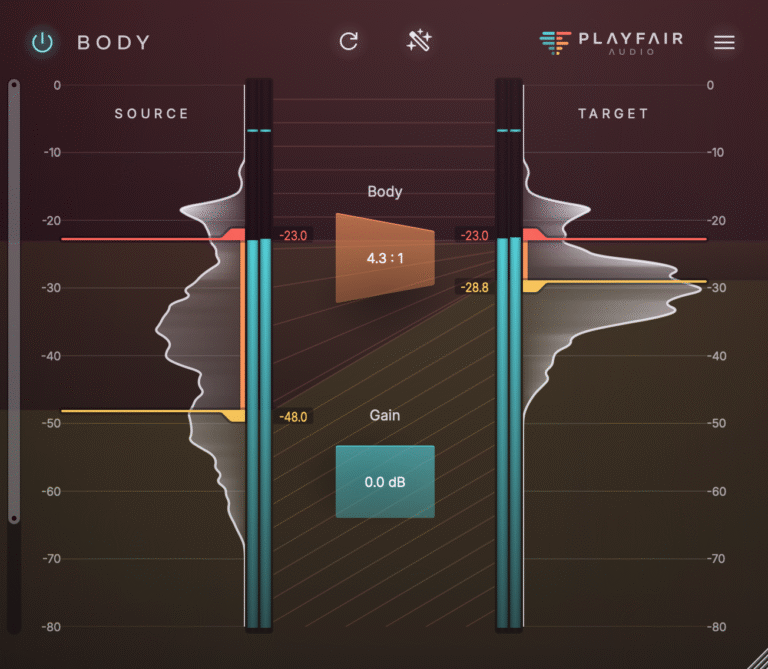
We built Dynamic Grading to support that kind of thinking. Instead of forcing compression into a fixed shape with a single threshold, it gives you a full visual map of your audio’s dynamic content. You can shape just the body without affecting the transients. You can enhance the punch without dragging up floor noise. You can clean up the quietest elements without overprocessing everything else.
It gives you the tools to work more musically and intentionally. When you need to balance a vocal, it takes seconds to do it without heavy gain reduction. If a snare needs more presence, you can lift its attack without dulling the tail. If reverb tails or ambient clutter are clouding the mix, you can reduce them without touching the main signal.
More importantly, it lets you see when you don’t need to do anything. It removes the guesswork. You know what’s happening, and you choose what to shape.
Dynamic Grading brings clarity to why you’re compressing in the first place. It helps you respond to the music, not the meters.
If you want more control with fewer compromises, and a better understanding of what your audio is doing, try Dynamic Grading and hear the difference for yourself.
Image Credit: Caught In Joy on Unsplash