
Dynamic Grading 2.1: A Peak Limiter, Listen Modes and Four Activations Per License
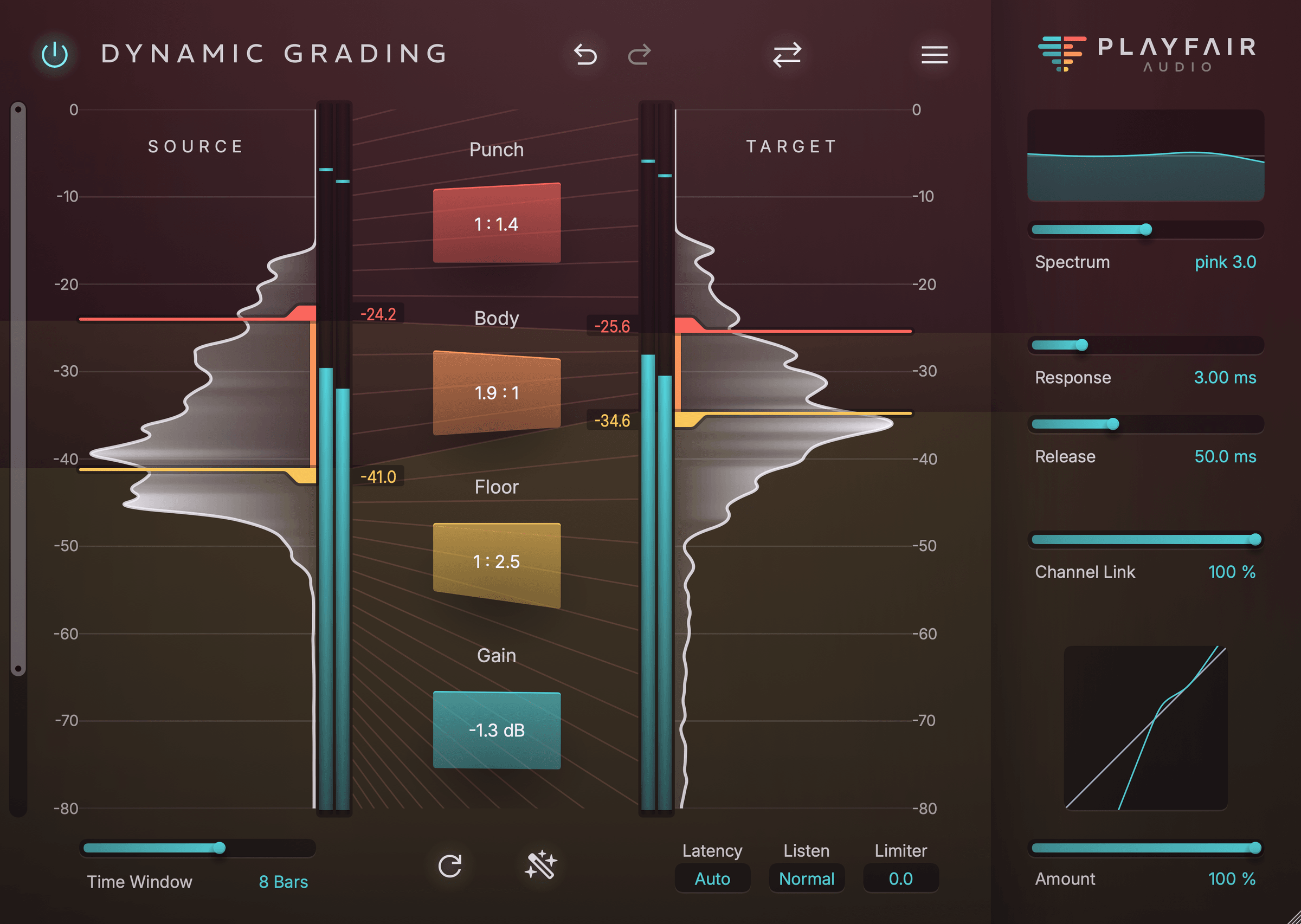
Dynamic Grading 2.1 is a free update for anyone who owns Dynamic Grading 2. Most of what's new is inside the plugin: a peak limiter in the output stage, listen modes for hearing the punch and body on their own, and metering that stays in step with the audio when there's latency further down the chain.
There's some other changes too, which whilst may seem a little dull, we've done them to make your experience of using our software better. We've rebuilt the website, added customer accounts and moved licensing away from iLok. That last change gets its own section below, because we know some of our users rely on iLok to offer flexibility.
A Peak Limiter To Catch The Overs
Expanding the punch is one of the moves people enjoy most in Dynamic Grading, and it's easy to hear why when a flat drum bus suddenly starts to come to life, the catch is that your peaks inevitably come up with it. Until now, there would need to be a limiter on the next insert doing the clean-up, set gently enough that it didn't undo the work of Dynamic Grading. Version 2.1 now includes that limiter into the output stage. Now you can push the punch as far as the track will take and deal with the overs in the same instance, with one less plugin to balance. We had wanted this in our own mixes for a long time, and it was first on our list for this release.
The brick wall limiter uses lookahead and a proprietary attack mechanism for high accuracy and low distortion. With its fixed release time (you only set the ceiling) it is designed for exactly the kinds of overshoots that punch expansion can produce.
Listen Modes: Hear Each Section Fast
The histogram tells you where the punch, body and floor sit, but checking that by ear against the full signal isn't always easy. On a dense part, the attacks could disappear under the sustain, and you end up nudging a marker and hoping for the best.
The new listen modes let you hear the punch on its own, or the punch and body together. Solo the punch, drag its marker down, and you'll hear the point where it stops catching transients and starts pulling in sustain. Switch to punch and body and you're listening to everything above the floor, which makes it far easier to hear where the room and noise begin. Ratios get the same benefit; expand the punch on a snare while you're listening to it in isolation and you know exactly what you've added before you check it in the mix.
This is one of our most user requested features.
Meters That Sync With The Music
Put a linear-phase EQ or a lookahead limiter after Dynamic Grading and the histograms run ahead of the audio by however much latency those plugins add, so you see the snare before you hear it. That's what we call presentation latency. In a plugin you work from visually, it makes the display harder to trust at exactly the moment you want to rely on it.
Dynamic Grading 2.1 compensates for it, keeping the meters and histograms in sync with what's coming out of your speakers regardless of what sits later in the chain.
The feature is available in AU and VST3 versions and requires the host to correctly report presentation latency (most do). AAX currently does not support presentation latency reporting.
Licensing: One Account, Four Machines
The biggest change in 2.1 doesn't show up in the plugin window. Dynamic Grading licenses now live in your Playfair Audio account, and iLok is no longer involved.
Plenty of you use iLok, so it's worth explaining that the move isn't designed to make things harder for you.
Running our own licensing means that when an activation goes wrong, we can see what happened and sort it out ourselves instead of sending you to a third party.
When iLok users told us what they'd miss, it nearly always came down to working on more than two machines. So each license now activates on up to four at once, double the old limit. For most people that covers the main rig; a laptop, a second room and a spare, with no dongle to carry between them. Offline activation is still there for studio machines that never go online.
In case you need to deactivate a machine, you can do so from anywhere, even without access to the machine in question. Simply locate the machine in the product’s summary in your account and click “Revoke” . This comes in handy when you need to free up an activation on the go, or want to remove activations for a broken machine you can no longer access.
If you already own Dynamic Grading, we've moved your license into an account for you. Sign in on the new website and you'll find it waiting.
A New Website, Built Around Your Account
We've rebuilt playfair-audio.com from scratch, largely so we could finally give you a proper customer account. It's where your licenses and activations live, where you grab the latest version when you need to reinstall, and where voucher codes from retailers get redeemed. If you've ever dug through your inbox for a license email from three years ago, you'll appreciate having it all in one place.
Rent-to-Own
You can now buy Dynamic Grading rent-to-own at 12.99 USD/EUR a month for 12 months. The full plugin is yours to use from the first payment, and once the last one goes through, the license is yours outright. It's a gentler way in if your studio upgrades come out of session fees rather than a lump sum. Monthly payments can be paused or cancelled, and resumed at a later date.
Getting Dynamic Grading 2.1
If you own Dynamic Grading 2, the update costs nothing. iLok-based licenses have been migrated to Playfair Audio accounts already and if you have one, you should have received an email notification. To access your new license, use the “Forgot password” function on our login form and enter the same email address that you use for your iLok account. You can change it later if necessary, but that’s how we recognize your old license.
If you haven't tried Dynamic Grading yet, the 14-day trial is fully functional, limiter and listen modes included. Put it on a drum bus, click Source Learn and spend a couple of minutes moving the markers and playing around with the ratios; Your First Session With Dynamic Grading takes it from there.